LinkedIn for authors: make the profile point at the book.
LinkedIn is one of the places readers, clients and event planners check before they get in touch. This guide covers each part of the profile in order, then a posting rhythm built from your chapters and a plan for launch month, with labelled before and after rewrites.
What the profile is for
Someone hears you on a podcast or gets your book from a colleague, and looks you up. When they land on your LinkedIn profile, it has one job: confirm that you are the person who wrote the book, say who it is for, and offer one clear next step.
A LinkedIn personal brand, for an author, is that profile plus the posts that keep the book's ideas in front of people. Before you edit anything, open your personal brand statement, your one-line promise and a first-person bio from the bio builder. This guide covers where those sentences go on LinkedIn; the consistency checklist covers every other place you appear.
One setting to check first: when you edit an experience entry with the notify option on, LinkedIn may tell your network. If you are reworking several sections, check it on each edit.
The headline
The headline is the line under your name. LinkedIn's help center says it is usually created when you add a current position, and that it appears in search results. That is why so many headlines read "Managing Partner at Firm Name": nobody chose it, LinkedIn filled it in. You can change it, and LinkedIn notes it can be used to promote an area of expertise. For an author, use this order: the reader and the result first, then the book.
Say you are a former chief financial officer who now advises founders of companies with 20 to 100 staff, and your book, The Monday Number, teaches them to track one figure every week.
Before: "Founder & Principal at Ridgeline Advisory | Former CFO | Speaker | Author"
After: "I help founders of 20 to 100 person companies read their own numbers | Author, The Monday Number"
The after version tells a founder in one line that this is for them, and names the book.
If the book introduced a named idea, the name can replace the result once people know it.
Source: LinkedIn Help, Edit your headline.
The About section
LinkedIn moved the About section back to the top of the profile in 2024, so it is the first writing a visitor reads. Write it in the first person, as the bio guide recommends. Five short parts:
The reader and their problem
One or two sentences, in the words the reader would use.
What you believe
The book's central argument, stated so that someone could disagree with it.
The book
Its title, who it is for and the one change it promises.
Proof
Two or three checkable facts.
One next step
Point to one item in the Featured section.
Before: "Seasoned finance executive with 25 years of experience. Passionate about helping businesses achieve sustainable growth. Proven track record of driving results."
After: "Most founders I meet can tell you their revenue to the dollar and have no idea whether this month was a good one. I spent 25 years as a CFO, and I think the fix is smaller than they expect: one number, checked every Monday.
I wrote The Monday Number for founders of companies with 20 to 100 people who have outgrown the bank balance and are not ready for a full finance team. It shows how to pick your number and what to do when it moves.
I have worked with more than 60 founder-led companies since leaving corporate finance. If you want to start, the first chapter is free in the Featured section below."
Source: LinkedIn Help, Updates to creator mode.
The Featured section: book, talk, sign-up
The Featured section sits near the top of the profile and holds pinned items. LinkedIn's help center says you can feature posts you wrote, articles you published on LinkedIn, and external media, documents and links. Put three items there, in this order:
| Slot | What to feature | Who it is for |
|---|---|---|
| 1. The book | A link to the book page on your own website, with the cover as the image. Your page can link to every store. | Readers who want the whole argument |
| 2. The talk | A short video clip of you speaking, or your speaker page with the talk titles on it | Event planners and podcast hosts |
| 3. The sign-up | A free chapter, a checklist from the book or your newsletter, on a page that collects an email address | People who are interested but not ready to buy |
Change slots 2 and 3 as your goals change, but keep the book first.
About the old creator mode: LinkedIn removed the creator mode switch in 2024 and says the same sharing tools and analytics stay available. You can still choose whether Follow or Connect is the main button on your profile. If most visitors are readers you have never met, Follow lets them see your posts without a connection request.
Sources: LinkedIn Help, Featured section FAQs; Updates to creator mode.
The banner and the photo
The banner is the wide image behind your photo. LinkedIn recommends 1584 by 396 pixels, as a JPG or PNG under 8MB. Use it for two things only: the book cover and one line, either your promise or the book's subtitle.
Use the same headshot as on the book and your website (see the photo guide) and take the banner colors from the cover. After uploading, check the profile on a phone and a laptop, and move anything that gets covered or cropped.
Source: LinkedIn Help, Add or change the background photo on your profile.
Experience entries
LinkedIn says entries should reflect real professional experience with the organization named, such as employment, contract work, volunteer work or board service. So do not invent an employer for the book. Instead:
- Let your current role carry the book. In the description of the job you hold now, add one line on how the book came out of that work.
- Give your speaking and advisory work its own entry if it runs through a company you own. Use the words from your About section.
- Add board and advisory seats as they come. LinkedIn lists board service as experience, and a book often brings those invitations.
You can attach skills to each entry. Pick the two or three the book is about.
Source: LinkedIn Help, Manage your profile Experience section.
A posting rhythm built from chapters
A book is a year of posts already written. The Scribe Method argues that you should put your best ideas in the book rather than holding them back. Posting those ideas one at a time works the same way: it shows readers what the whole book is like.
Take one chapter a week. Each chapter gives you three posts:
| Post | What it does | Example from a Monday Number chapter (hypothetical) |
|---|---|---|
| 1. The claim | The chapter's main point, stated so someone could argue with it | "Your bank balance is the worst number to run a company on. It tells you about last month." |
| 2. The story | One case from the chapter, told in under 200 words, with names changed | The founder who hired three people in a month the balance looked healthy, and why it was not |
| 3. The step | One thing a reader can do this week, then a question | "Pick the one number you would want texted to you every Monday. What is yours?" |
A twelve-chapter book gives you twelve weeks. Then start again with new stories and the questions from the comments. Mention the book in about one post in three. Pace yourself for a year, not a month. Ron Thurston posts every day, and describes the habit like this:
"If you spend 30 minutes a day, seven days a week on LinkedIn, it will change the game for you." Ron Thurston, author of Retail Pride and Human Pride (his story)
He answers every comment and message himself, and the comments tell you which ideas land. For a one-year plan around the book's central idea, see the thought leadership guide.
Launch month
Finish the profile before the book is out. A plan that starts six weeks early:
Six weeks out: ask for early readers
Post the cover and the one-line promise, and ask who wants an early copy in exchange for an honest review. Ron Thurston did this with his LinkedIn audience for Human Pride: several hundred people asked, he chose about a hundred, and he had about 20 reviews on the first day.
Two weeks out: finish the profile
Headline, About, banner with the new cover, and the Featured section with a pre-order link in slot 1.
Launch day: tell the story of why you wrote it
One post about the moment you knew the book had to exist. Thank the early readers.
Weeks one to four: one chapter a week
Start the claim, story and step rhythm with chapter one.
End of the month: update the proof
Add any new checkable fact to the About section and your bios.
Scribe authors on LinkedIn
Each card links to the full story. These are strong results, not typical ones, and nobody can promise them.
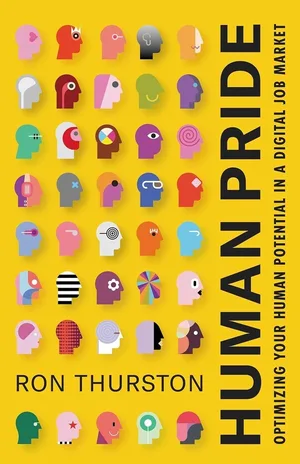
- LinkedIn as the sales channel. Ron Thurston says the work starts once the book is out, and for him it starts on LinkedIn: "I don't sell books on Instagram. I sell books on LinkedIn." (read his story)
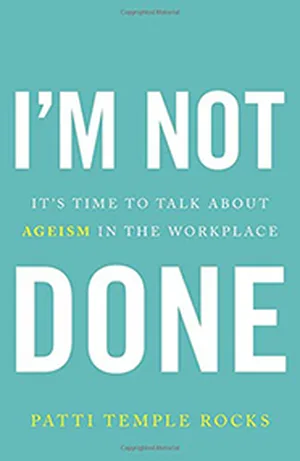
- One post that showed there was a book. Before I'm Not Done, Patti Temple Rocks wrote on LinkedIn about being pushed out of her job because of her age. Thousands of people got in touch with the same experience, and she decided it needed a book. Afterward her LinkedIn following more than quadrupled. (read her story)
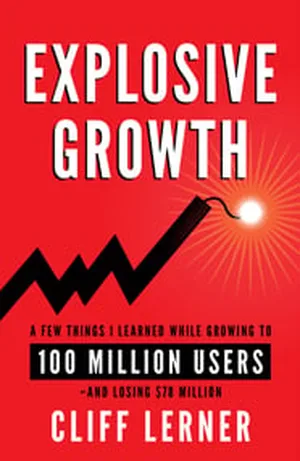
- The profile as the place people make the ask. After Explosive Growth, companies recruited Cliff Lerner to their boards, and his story reports 10 LinkedIn messages a week asking him to advise or join one. Those requests arrive on the profile, so it has to say plainly what you wrote. (read his story)
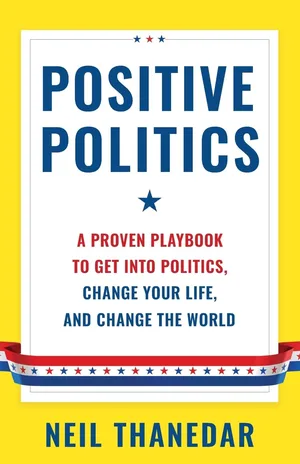
- Writing that sends people to one idea. Neil Thanedar had more than 100,000 words of public writing on his own website before he wrote Positive Politics to own one idea, and three of the five founders in his first accelerator class found him through it. For your Featured section: link where your best thinking lives, with the book on top. (read his story)
Write the About section from your bio
The bio builder drafts a first-person version from the same facts as your book bio, ready to adapt for LinkedIn.
Sources: LinkedIn Help pages linked in each section, checked October 21, 2026; The Scribe Method, How much should you give away in your book; author details and quotes from the linked Scribe success stories.